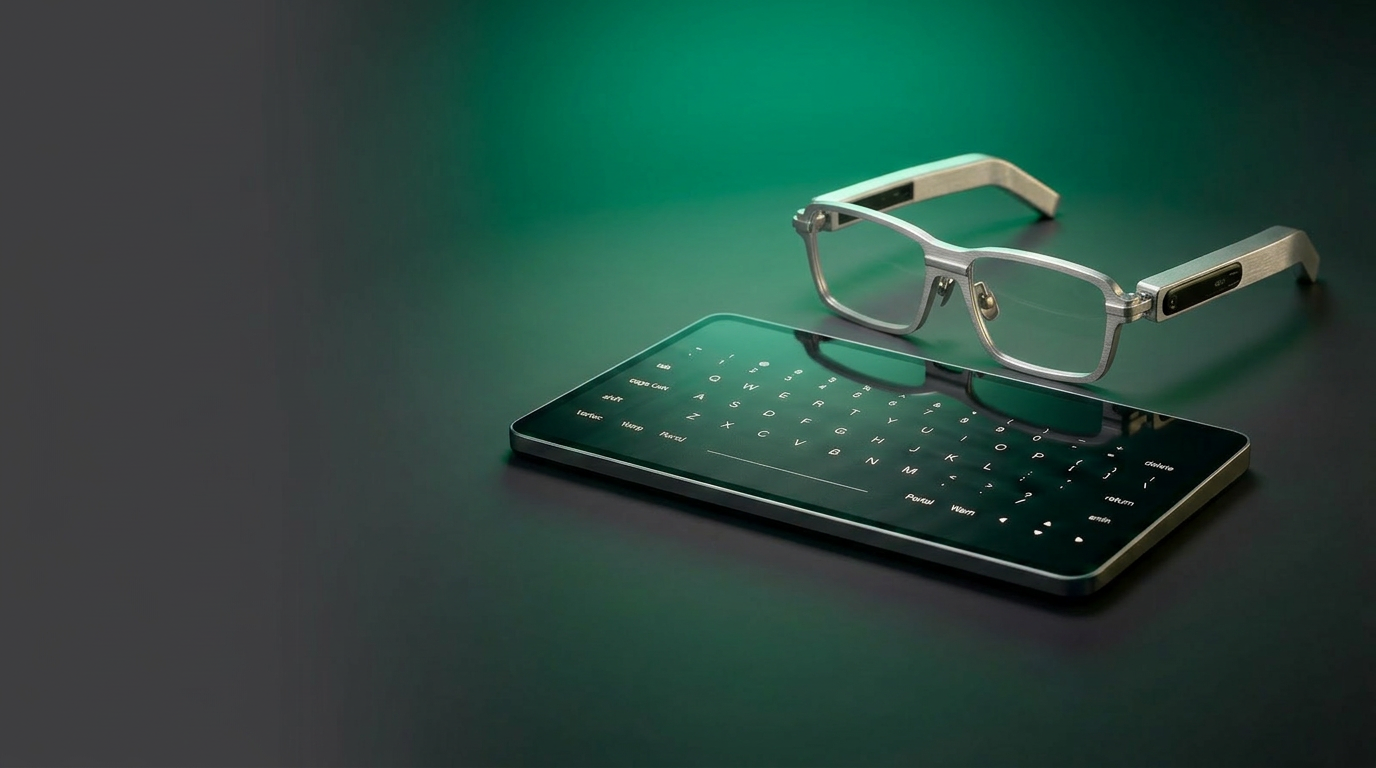
Traditional monitor, keyboard and mouse setup contrasted with the Demain Spaceboard and Renaissance Glasses

Intuitive
computing.

Intent Action

You’re adapting to your computer. It should be the other way around.

The Intent–Action Gap

Computing is trapped in the previous century.

Every day you spend hours translating your thoughts into mechanical operations: memorizing shortcuts, hunting through nested menus, resizing overlapping windows. The computer does not adapt to your brain — you adapt to its machine logic.

A short history of the interface
  1. 1868
    Mechanical constraint

    The Keyboard is Born

    QWERTY was designed to slow down typing to prevent physical key jams.

    A 150-year-old physical layout that forces your thoughts onto 104 static plastic buttons — originally engineered to stop typewriter arms from jamming.

  2. 1964
    Coordinate mapping

    The 2D Vector Mouse

    The mouse converted arm movements into coordinate offsets to point at a flat monitor.

    Engelbart's mouse translated continuous hand motion into horizontal and vertical coordinates, flattening a 3D physical workspace into a screen cursor.

  3. 1984
    Office metaphor

    The WIMP Paradigm

    Operating systems adopted paper-office desks, folders, and documents to fit small screens.

    Windows, Icons, Menus, Pointer. A paper-office desk metaphor built for 1980s personal computers. We are still resizing windows and clicking folder paths forty years later.

  4. 2026
    The interface debt

    Stagnation

    Compute power has multiplied millions of times, yet the bottleneck remains the keyboard and cursor.

    CPU power has multiplied millions of times. Yet we still interface with computers by pressing mechanical keys and pushing coordinate cursors. The interface is the bottleneck.

The cost of doing nothing

Daily digital friction.

01 Physical confinement

Static setups

Traditional monitors anchor you to a specific desk, chair, and cable array. The posture is static, the fatigue is real. Portable computing forces you to compromise on a single 13-inch display.

02 Cognitive drain

Interface chores

You spend a massive portion of your workday dragging, resizing, snapping, and swapping window borders. The OS acts as a rigid files-and-menus filing cabinet rather than an intuitive partner.

03 Privacy void

Public projection

Standard monitors emit light outwards, making your work visible to anyone nearby. Working in public means projecting your private code, spreadsheets, or designs to strangers.

It’s time for the interface to catch up.

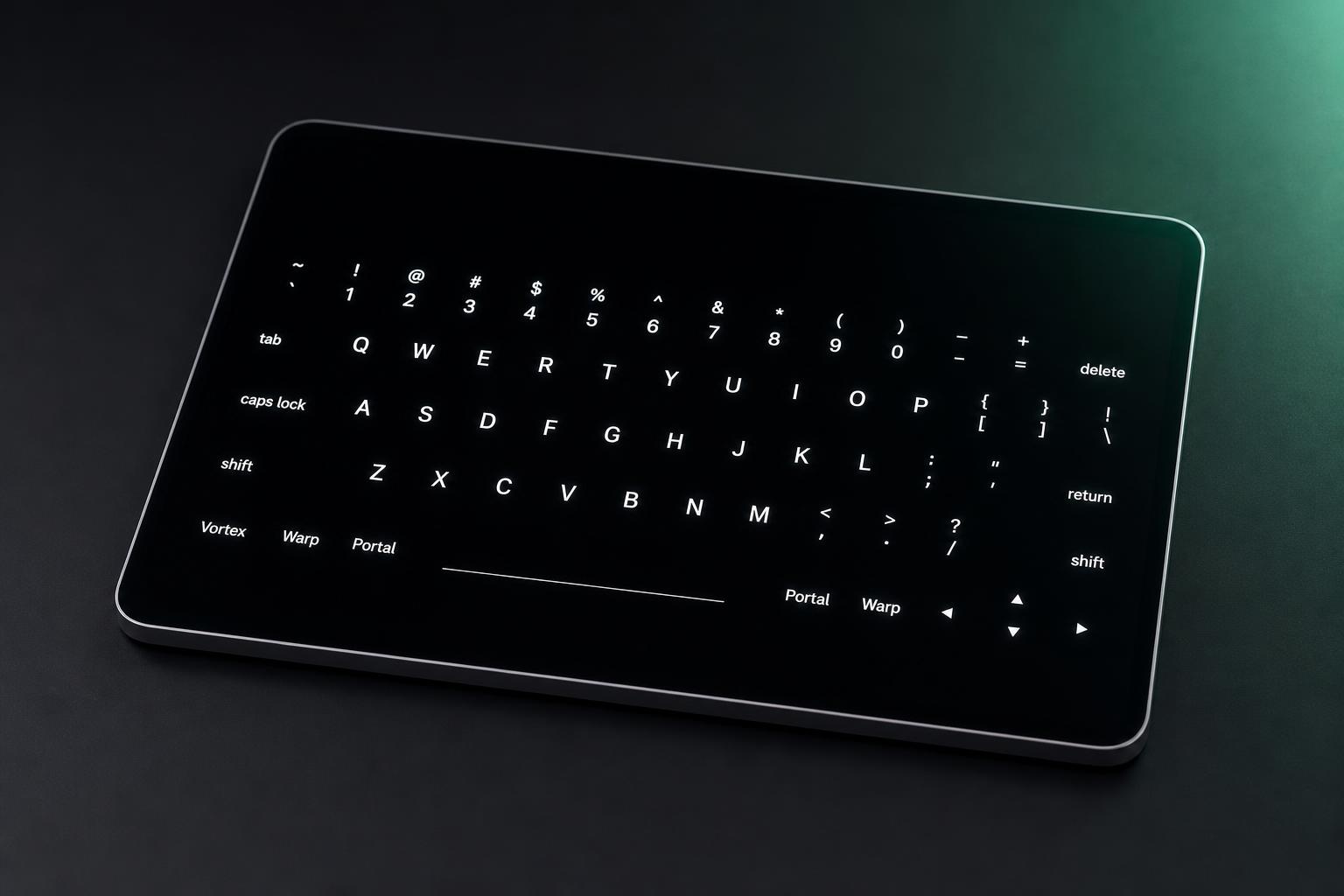
Spaceboard 13-inch OLED tablet with virtual QWERTY keyboard featuring Portal, Warp, and Vortex keys

Spaceboard

Your keyboard never learned anything new.
This one did.

Spaceboard is a new category of device. An AI-capable 14 inch OLED tactile surface that understands gesture and context. It’s the laptop, reimagined.

No keys, no rules

Your keyboard has 104 keys. You use about 15 of them regularly. The rest is dead plastic — a layout designed for typewriters, shoehorned into the digital age.

Spaceboard is a single capacitive surface. Pinch to zoom. Swipe to navigate. Tap to select. The interface adapts to what you’re doing — typing when you need to type, gesturing when you need to gesture. No memorization. The surface maps to what you’re trying to do.
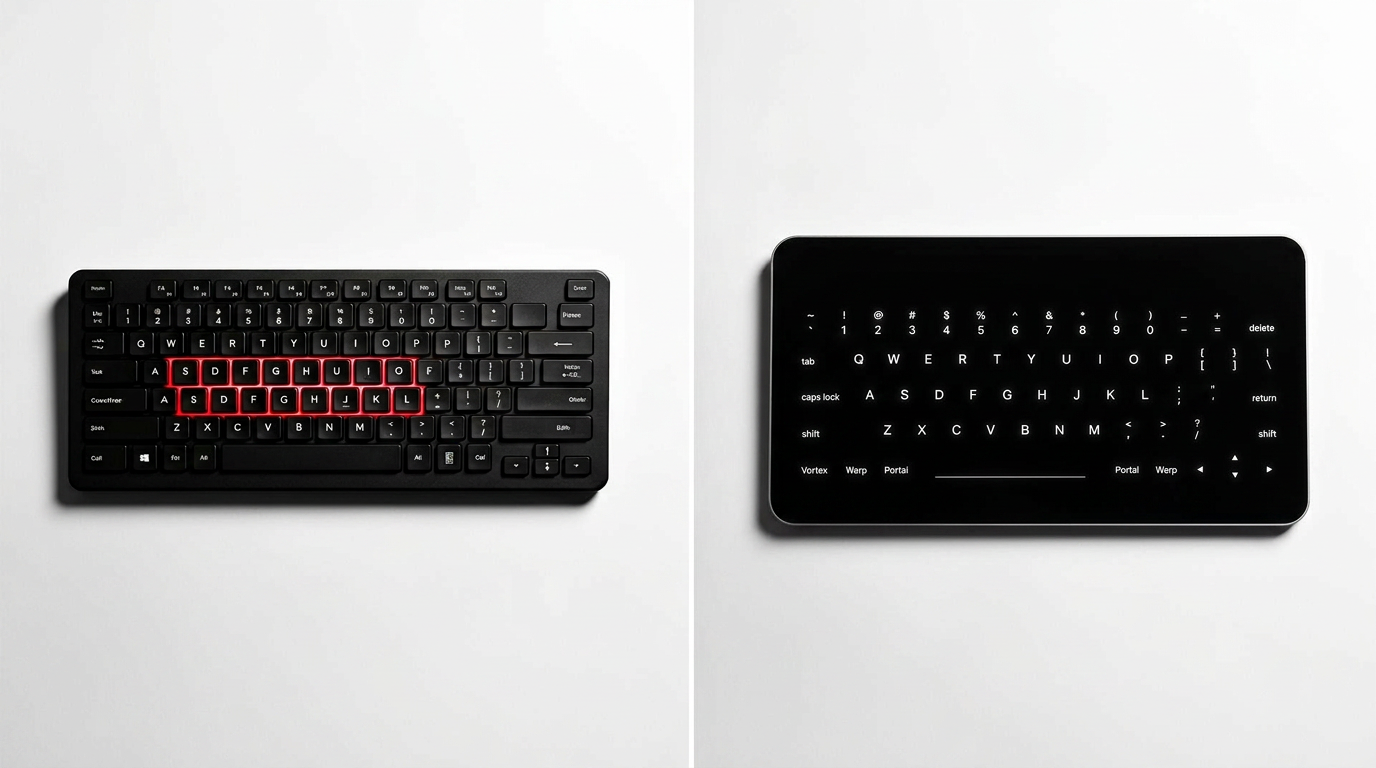
Traditional keyboard beside an adaptive touch surface

It understands context

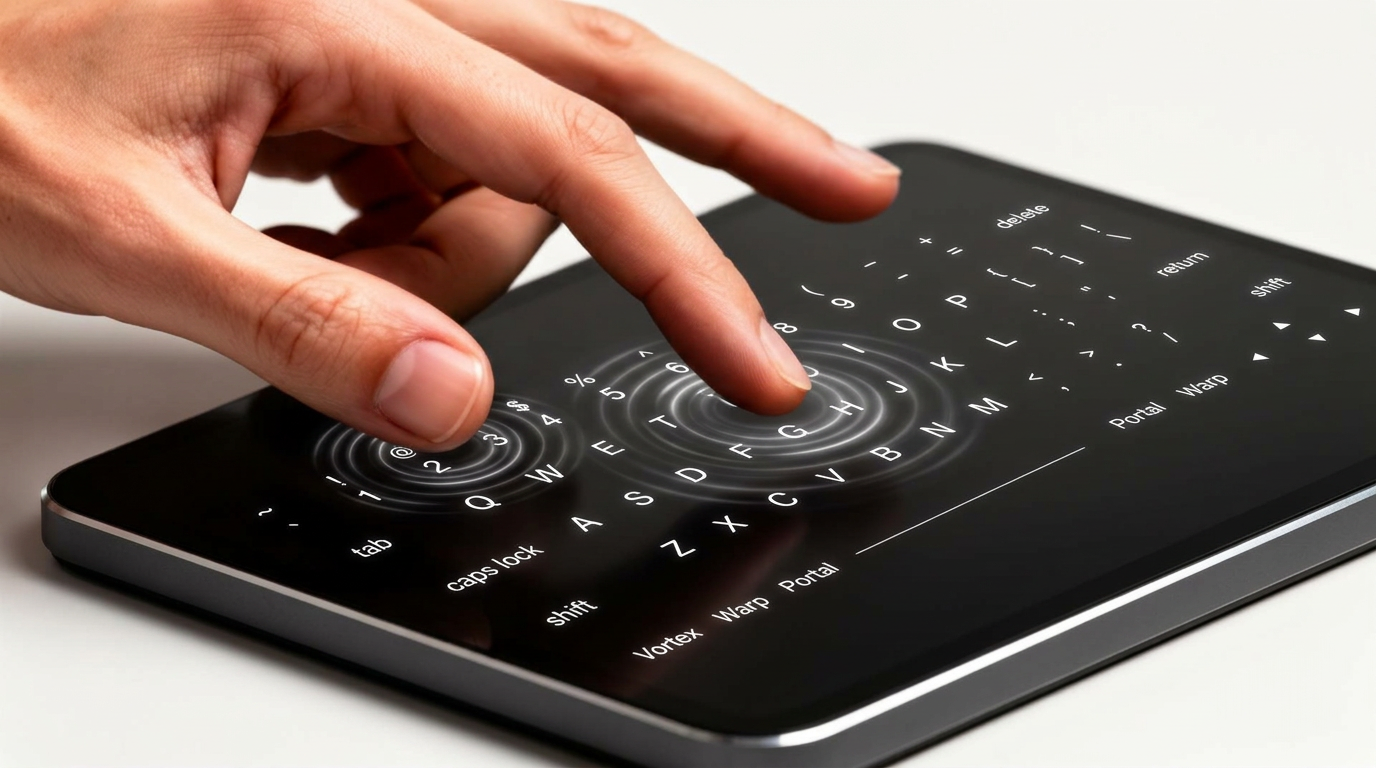
The surface reads how you touch — speed, direction, multi-point patterns, gesture sequences. Touch a document and swipe left: next page. Two-finger press on a paragraph: context selection.

Spaceboard is AI-capable. It doesn’t just capture input — it understands it. The intelligence is in the device, reading your intent as it happens.

Close-up of hand interacting with gestures on the surface

Zero cables to your screen

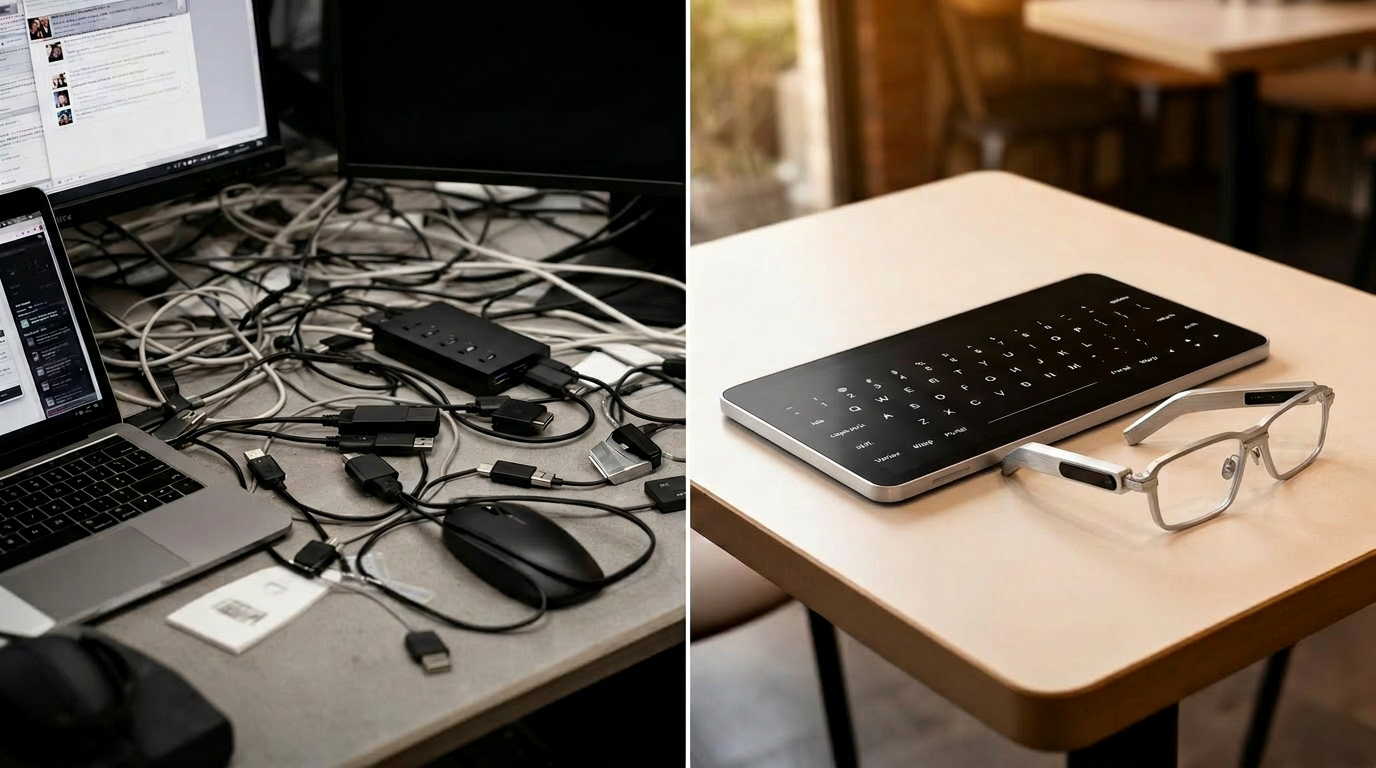
Your desk: laptop, monitor, keyboard, mouse, HDMI dongle, USB hub. Two or three cables just to see your work.

Spaceboard streams to your display glasses wirelessly. Put on the glasses, set down the surface, you’re working. No pairing. No dongles. No cables. Your entire workstation fits in a bag.

Cluttered desk versus a clean café table with Spaceboard and glasses

The laptop, evolved

The laptop form factor hasn’t meaningfully changed in 15 years. Thinner screens. Better batteries. Same clamshell, same keyboard, same trackpad. Faster chips, same interface.

Spaceboard is the next step: a portable 14 inch OLED device with a touch-first, AI-native interface. Input on the surface, display in wireless glasses. You work from a café table, a train seat, a couch — anywhere you can set down a flat surface.

The keyboard anchored you to a desk. The Spaceboard lets you express yourself.

Person on a train working with Spaceboard and smart glasses
Laptop vs Spaceboard
Laptop Spaceboard
Input Keyboard + trackpad Adaptive touch surface
Display Built-in screen Wireless glasses — multi-monitor
Privacy Screen visible to all Visible only to wearer
Portability Clamshell on flat surface Flat surface, any angle
AI Copilot bolted on Native intent understanding
Cables Minimum 2 Zero
Desk required? Yes No

Interested in the Spaceboard?

Join Waitlist
Portal intuitive operating system

Portal

An interface that respects your attention.

Built on Rust and Wayland. Designed around WIGI — a new interaction paradigm that replaces 40 years of WIMP. Intuitive content arrangement, intent-driven interaction, AI that stays on your machine.

Your workspace, your mental model

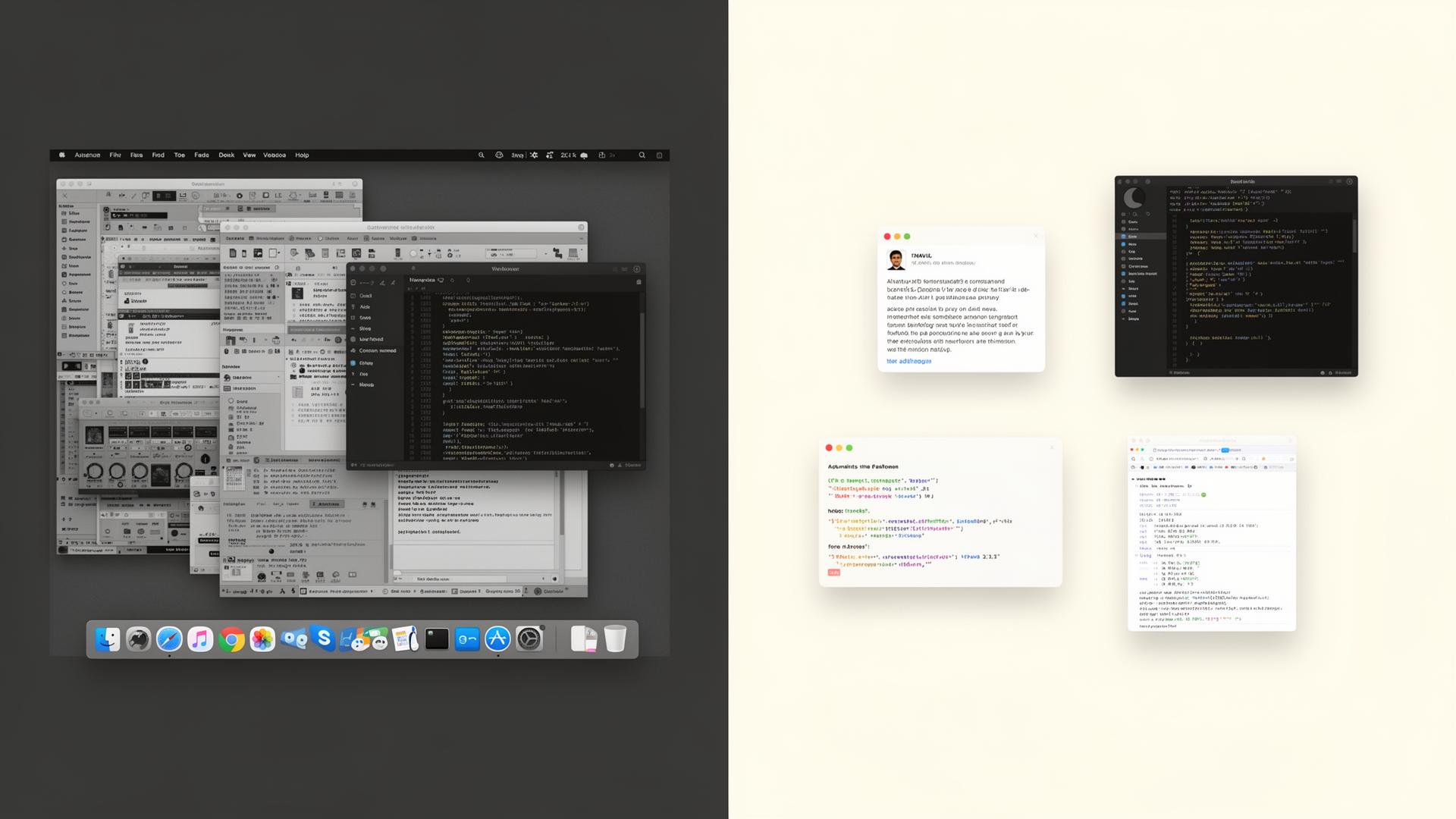
In a traditional OS, you manage windows. Snap them to halves. Minimize them. Alt-tab between them. Lose them behind other windows. The OS gives you a grid and tells you to figure it out.

Portal arranges content in intuitive space. Your email lives where you put it — top-left, because that’s where you look for it. Your IDE stays center-right. Your research notes float near your browser. Drag, group, arrange. Related files gravitate toward each other.

Cluttered traditional OS versus Portal's intuitive workspace

Your computer reads what you mean

In WIMP, you click File → Open → navigate → select. Four actions to open a document you already knew the name of.

In WIGI, you approach a file and it opens. Drag content near a folder and it suggests moving. Look at a notification and it reads aloud. The Context Engine reads your working state and surfaces what you need — before you search for it.

WIMP click → navigate → select → open 4 steps
WIGI approach → open 1 gesture

AI that stays on your machine

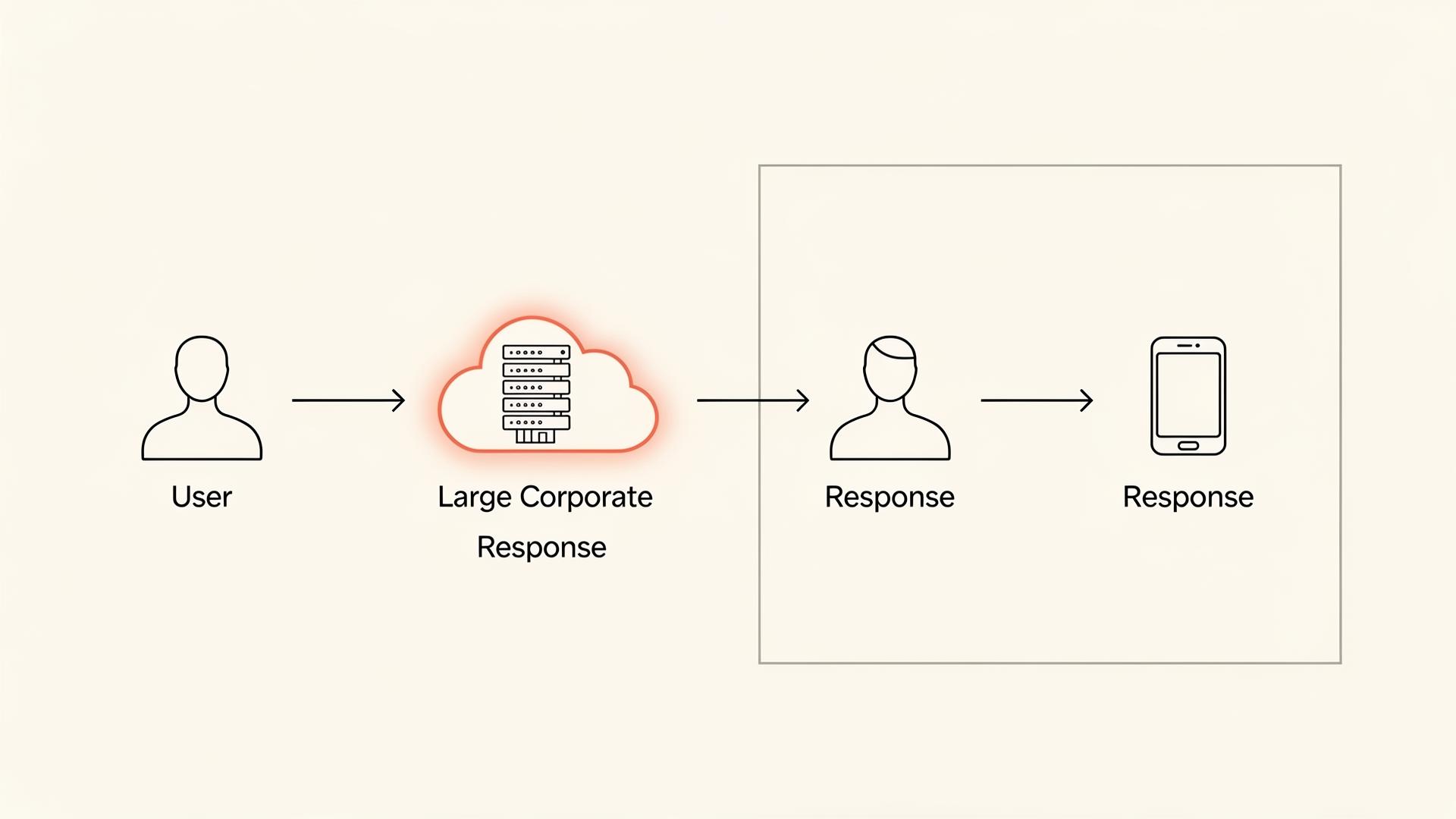
Your prompts, your documents, your code — all processed on someone else’s server. You trust a corporation with your most sensitive work because there’s no alternative.

Portal is different. Elara — Portal’s AI assistant — runs locally. She manages your workspace, responds to voice commands, and helps you navigate. Nothing leaves your machine unless you explicitly send it. Portal is source-available under the Demain Source License. Read the code. Audit what Elara does. Privacy isn’t a toggle. It’s the architecture.

Cloud AI versus on-device AI flow diagram

WIGI: the end of WIMP

WIMP — Windows, Icons, Menus, Pointers. The dominant interaction paradigm since 1973. Every major OS: Windows, macOS, Linux desktops, ChromeOS. The same model for 50 years.

WIGI — Windows, Icons, Gestures, Intent — replaces the pointer and the menu with gesture and anticipation. Designed for touch surfaces, intuitive displays, and AI-assisted interaction. You confirm actions. You don’t navigate to them.

1973
Xerox Alto
WIMP
1984
Macintosh
WIMP mainstream
2026
Portal
WIGI

Elara knows your workspace

Not a chatbot in a sidebar. Not a voice you trigger with a wake word. Elara is integrated into the OS — aware of your intuitive layout, your context, your open applications.

“Move my research notes near my browser” — done. “What was I working on yesterday?” — surfaced. She navigates by voice, manages files, anticipates needs — all through the Portal Control Protocol. Every action logged. Every permission explicit. Useful without being intrusive.

$ elara
> “move research notes near browser”
⇵ moved 3 panes · workspace: writing
> “what was I working on yesterday?”
⇵ surfaced 7 items · 18:42 last touch
> permissions: explicit · logs: local · cloud: none

Want to try Portal OS?

Join Waitlist
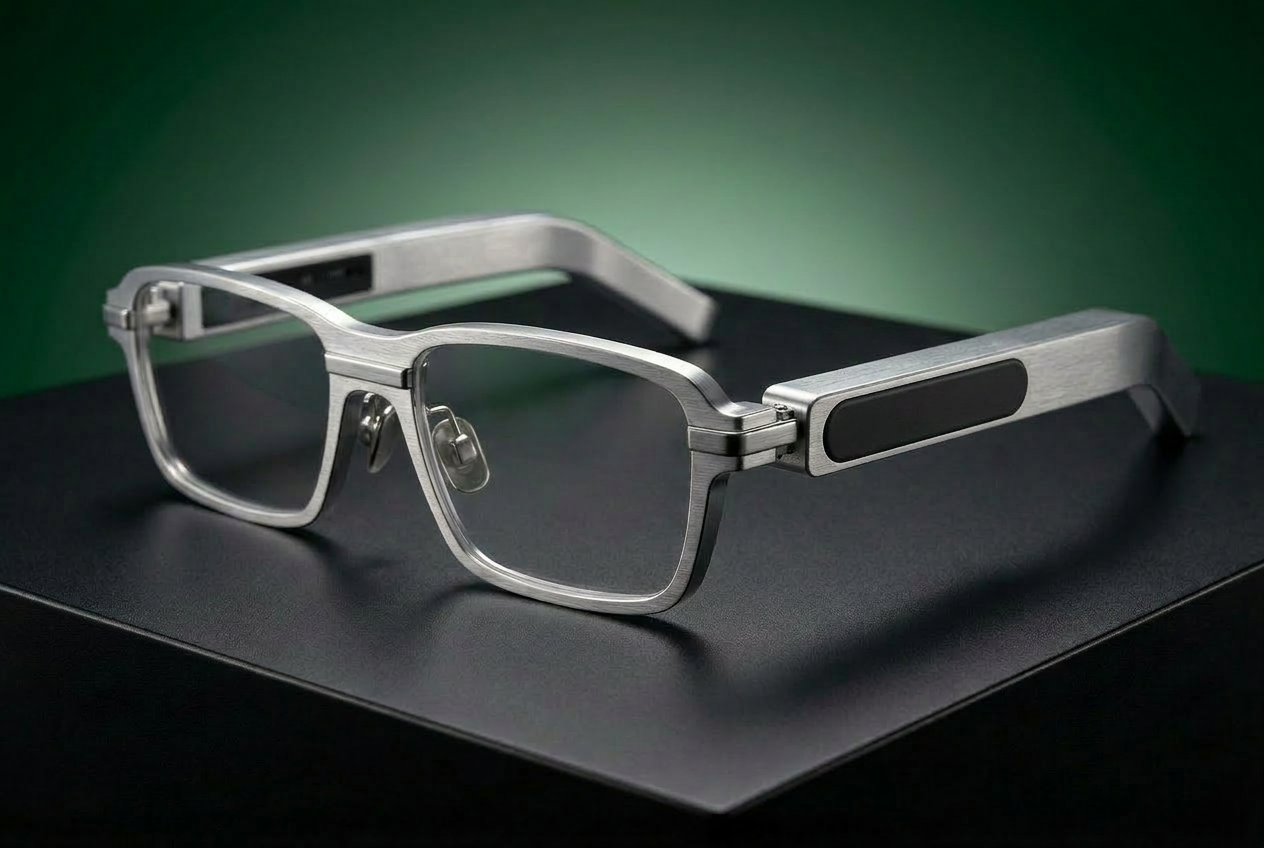
Renaissance Glasses with virtual displays

Renaissance Glasses

The monitor is dead. Long live the glasses.

Lightweight aluminum frames with all-day battery and direct-to-eye projection. Multiple virtual displays in your field of view. Not VR. Not a phone strapped to your face. A pair of glasses you actually want to wear.

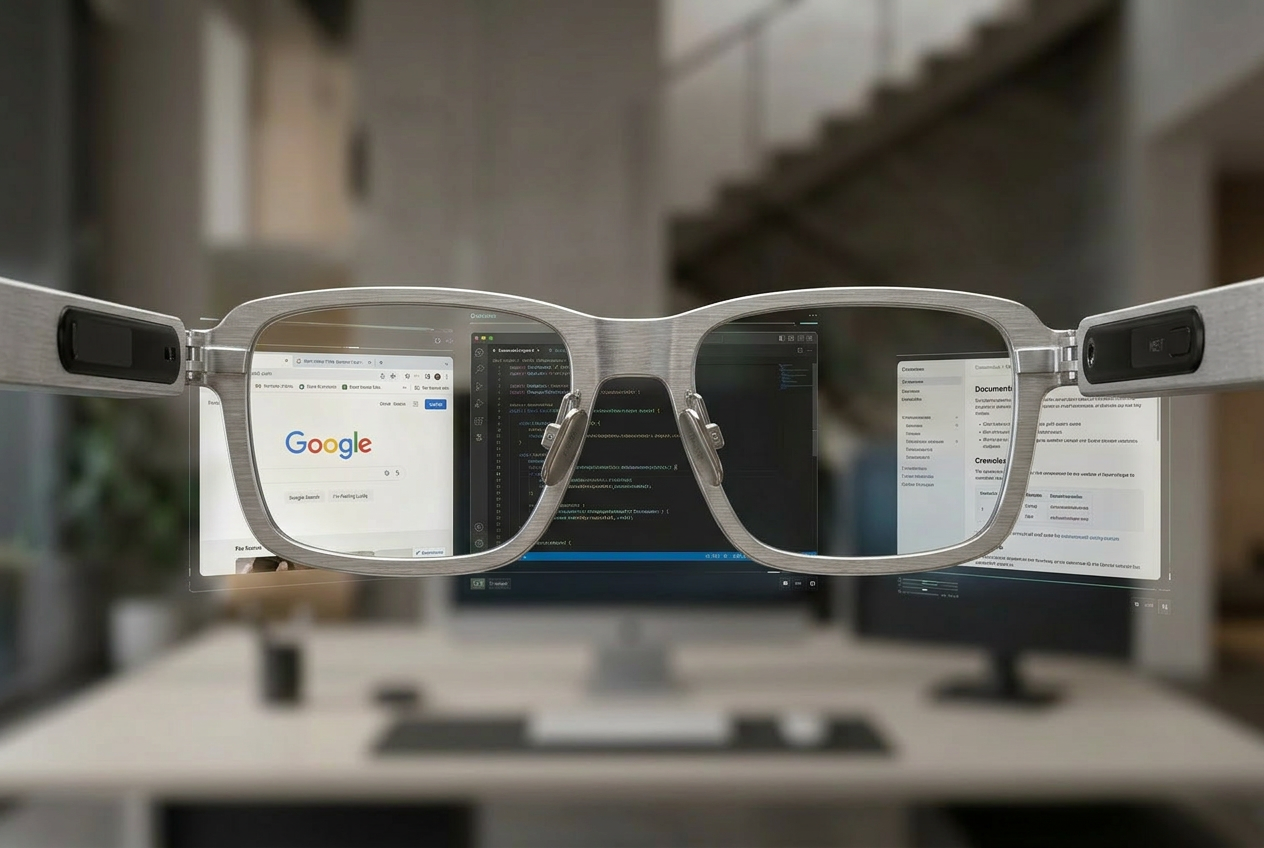
Three monitors of workspace — in a pair of glasses

Two monitors minimum, three if you’re serious. Stands, cables, neck strain, $1,000+ in hardware, half your desk gone.

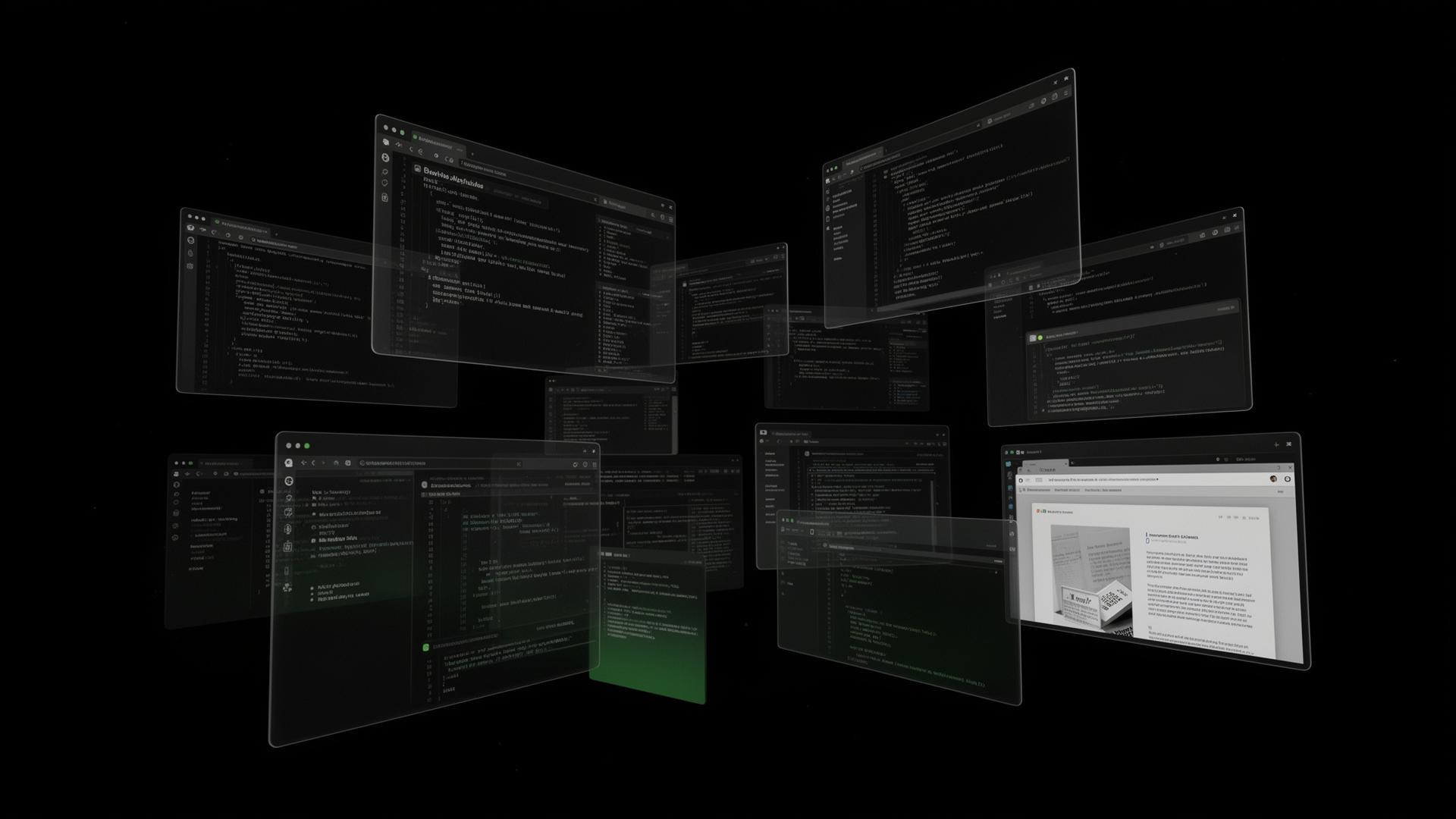
Renaissance Glasses give you multiple virtual displays in your field of view. Browser center-left, code center, docs center-right. Eye tracking enables gaze-based navigation — look at a display and it comes into focus. Your eyes are the pointer.

POV through smart glasses showing three virtual displays

Your workspace is not a theme park

Most head-mounted displays are built for entertainment — immersive worlds, gaming sessions, movie theaters for one. Impressive for an hour. Then they go back on the shelf.

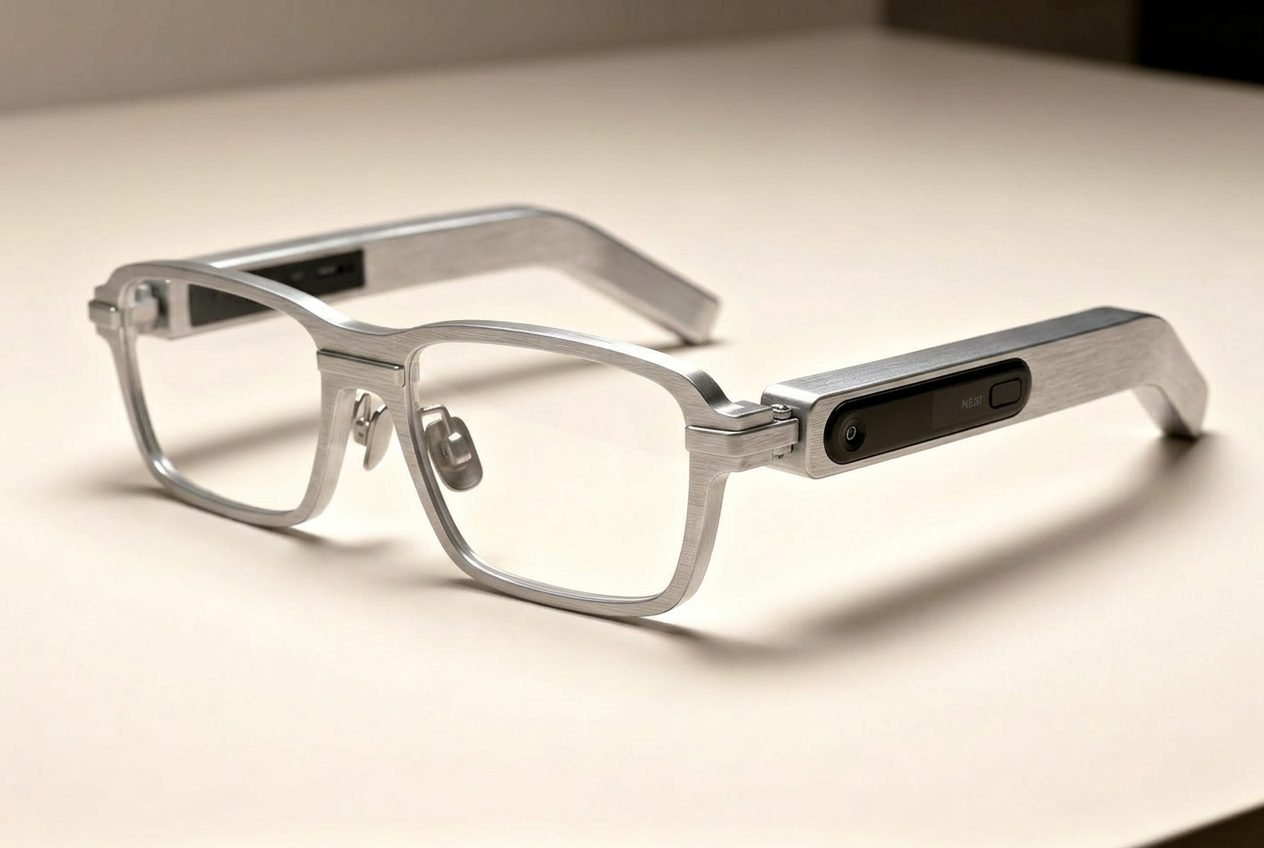
Renaissance Glasses are built for work. Aluminum frame for durability and thermal management. Hot-swappable battery — swap without powering down, without removing the glasses. Lightweight enough to wear through your entire workday.

Slim aluminum smart glasses on a clean surface

Not VR. Not AR. Just your screen, wireless.

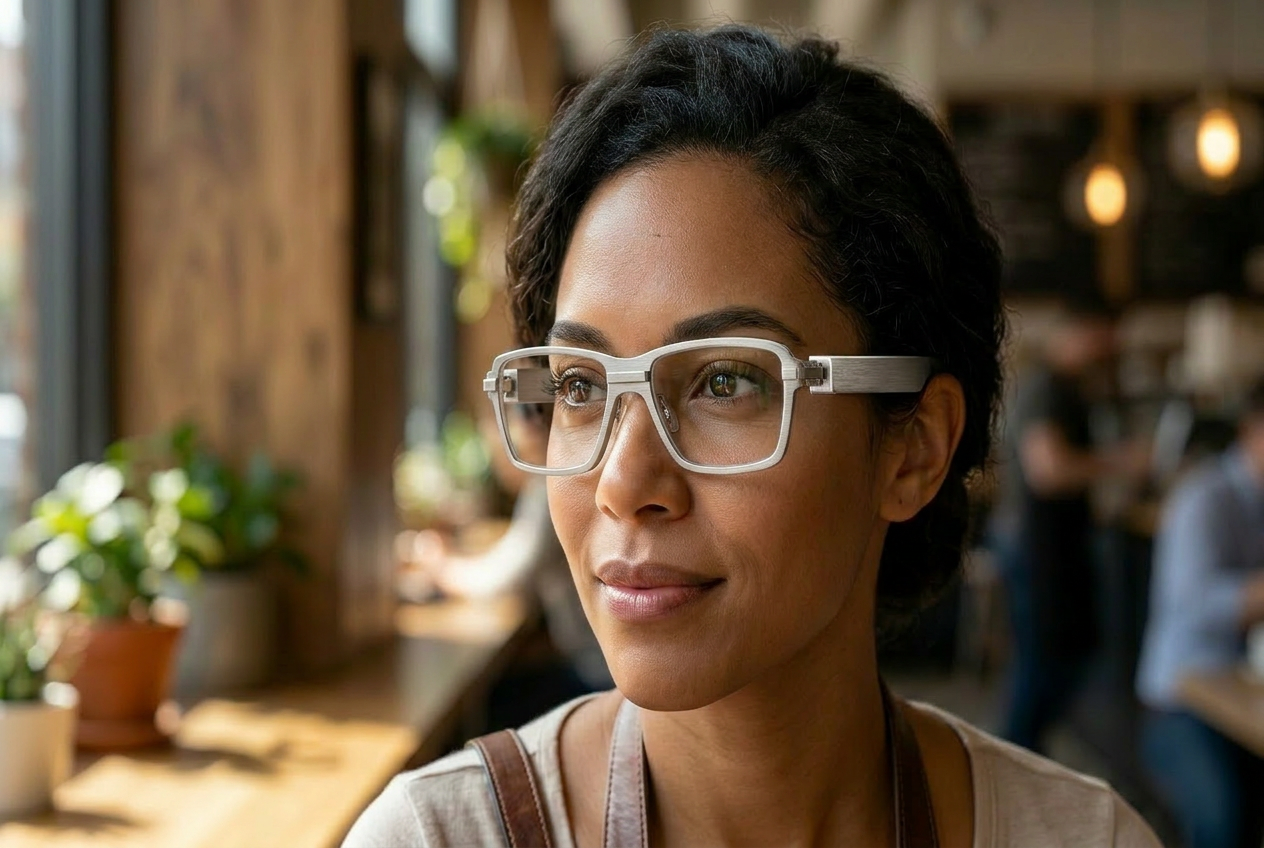
VR isolates you — opaque headset, virtual world, controllers in your hands. Renaissance Glasses are transparent. See-through lenses. Your workspace is overlaid on the real world — look up, see the room. Your screens stay where you placed them.

Lightweight, all-day wearable, designed for work. Put them on in the morning and forget they’re there.

Person wearing transparent smart glasses in a cafe

Efficiency is the architecture

Direct-to-eye projection. No backlight illuminating a 27-inch panel. Less power → smaller battery → lighter frame → longer wear. Efficiency isn’t a feature. It’s what makes the whole thing possible.

Triple monitor setup ~150W
Single desktop monitor ~45W
Glasses + Spaceboard ~8W
Approximate sustained draw

Want to try the Renaissance Glasses?

Join Waitlist

Ecosystem

One platform. Three devices. Zero compromise.

Every device communicates through structured, low-latency protocols. Nothing is peripheral. Compare that to today: a laptop, plus external monitor, plus keyboard, plus mouse. Three brands, four cables, six drivers, one desk. Ours is one system. One design language. One interaction model.

01
Spaceboard
Captures intent

Adaptive touch surface. Gesture + context.

02
Portal
Turns intent into action

WIGI. Intuitive workspace. Elara, on-device.

03
Glasses
Shows the result

Multi-display, direct-to-eye, see-through.

Built from France, for the Future.

Demain was founded on a simple observation: the way humans interact with computers hasn’t kept up with what computers can do. We’re part of the Station F Fighters program. Our source code is available under the Demain Source License — read it, audit it, verify it.

Portal OS Active development · Source-available
Spaceboard Prototype phase · Hardware development underway
Renaissance Glasses Prototype · Hardware development underway

FAQ

The questions worth answering.

01 How is this different from a VR headset?

VR isolates you in a virtual world. Renaissance Glasses are transparent — see your workspace overlaid on reality. No isolation, no motion sickness, no controllers.

02 How is this different from Apple Vision Pro?

Renaissance Glasses are lightweight, all-day wearable, and designed as a wireless display — not a standalone computer. They show your workspace without isolating you from the world around you.

03 How is this different from a regular laptop?

Spaceboard has a 14" OLED surface, but streams its display wirelessly to glasses. No screen to hide, no angle constraints, no desk required. A laptop that doesn't force you to sit at a desk.

04 How is Portal different from Windows / macOS?

Portal uses WIGI instead of WIMP. Content arranged intuitively, not in windows on a taskbar. Interaction is intent-driven, not click-driven. AI runs locally, not in the cloud.

05 Is Portal open source?

Source-available under the Demain Source License. Read the code, audit the system, verify privacy claims.

06 What's the AI capability?

Elara runs entirely on-device. Understands workspace context, manages files, responds to voice. Nothing leaves your machine.

07 When will products be available?

Portal OS: active development. Spaceboard: prototype. Glasses: prototype. Join the waitlist for updates and early access.

08 Do I need all three products?

The Spaceboard and Renaissance Glasses are designed as a pair — the glasses serve as your display, and the Spaceboard is your input surface. Portal OS ties them together. In the future, Portal and the Spaceboard may become compatible with other AR glasses or lightweight headsets, but at launch they work as a unified system.

09 How much will it cost?

Pricing will be announced closer to launch.

10 What is WIGI?

Windows, Icons, Gestures, Intent. The next interaction paradigm, replacing WIMP. Gesture + gaze + context instead of pointer + menu + click.

Ready when you are.

Join the waitlist to be among the first to experience intuitive computing.

About Demain

Demain is a French technology company building the next generation of human-computer interaction. We believe computing should be intuitive — shaped around how people naturally think and work, not the other way around.

Our three products — Spaceboard, Portal OS, and Renaissance Glasses — work together as a unified computing platform. No cables, no clutter, no learning curve.

Demain